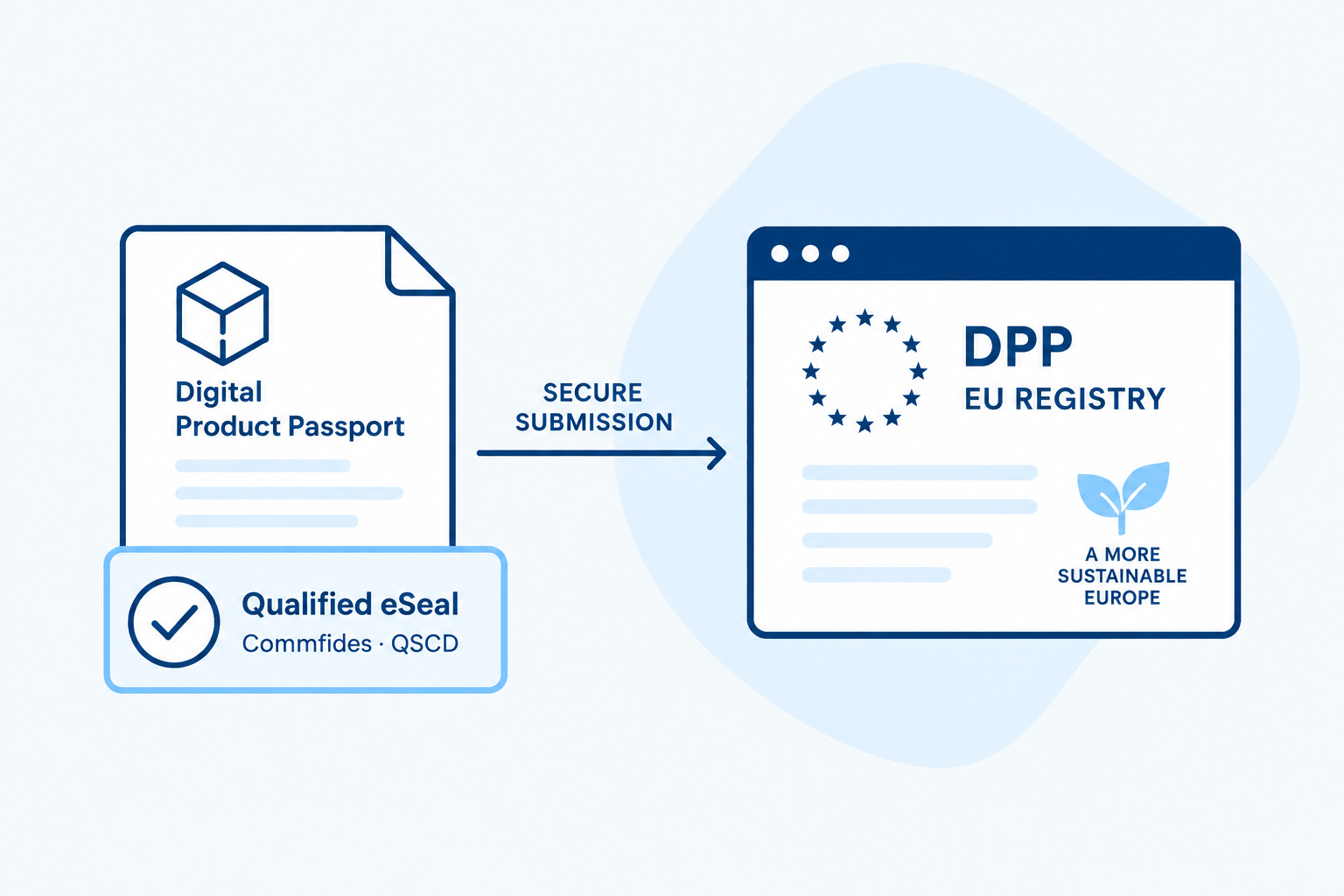
THE DPP REGISTRY IS NOW OPEN
EU-Qualified eSeal for the DPP Registry
Does the company manufacture or import products that are subject to the EU’s digital product passport requirements?
Before you can register product passports in the DPP registry, your business must be verified. As a legal entity, you use a qualified electronic seal (QSeal) for the verification process. Commfides provides the eSeal you need to get started.

Fast delivery
Usually ships within 2 business days
EUR 825
Excluding VAT for 3 years
Qualified eSeal with a QSCD smart card
Issued by a Norwegian QTSP – listed on the EU Trusted List
Delivery to all EU/EEA countries
Qualified eSeal
for businesses in Europe
Commfides issues qualified electronic seals to businesses across all EU and EEA countries. Ordering, identity verification, and signing are easily completed digitally, without the need for a physical visit or Norwegian BankID.
Commfides handles the validation of the business entity and the right of representation against relevant corporate registers.

DPP – DIGITAL PRODUCT PASSPORT
What is a digital product passport and the DPP registry?
A Digital Product Passport (DPP) compiles important information about a product throughout its entire lifecycle, such as details on origin, materials, repairs, and recycling. The EU’s DPP registry is the central index that links products on the EU market to their Digital Product Passports. To use the DPP registry, a business must first be verified.
That is why the DPP registry requires a Qualified eSeal
Requirements for digital product passports are being introduced in phases for specific product groups. When such a requirement applies, the responsible manufacturer or importer must ensure that the product’s digital product passport is registered before the product is placed on the EU market.
To register and manage product passports, a business must first be verified in the EU’s DPP registry. For legal entities, verification is carried out using a qualified electronic seal.
Without approved business verification, the company cannot register product passports in the registry. For products subject to this requirement, this may prevent their launch or import into the EU market.
HOW IT WORKS
The eSeal verifies your business
Download the PDF declaration, seal it with the company’s qualified electronic seal, and upload it again. The register uses the declaration to verify the company’s identity.
The eSeal is used only for verifying the business before the registry is put into use, and not for registering each individual product passport.
Want to see how the business verification process works? Check out our step-by-step guide below on how to verify your business against the DPP.
Important before ordering eSeal
The information in the eSeal must match the details you use in the DPP register.
Therefore, have the organization’s legal name, country of registration, and registration identifier ready when placing your order.
Commfides verifies the information and ensures that the eSeal certificate is issued with the correct identifier type and country code.
See how the registration identifier is used in our step-by-step guide →
COMMFIDES QUALIFIED ESEAL
Ready for DPP verification
A qualified electronic seal is a business’s digital stamp. It makes it possible to verify the origin of the document and ensure that its content has not been altered since it was sealed.
- Issued by Commfides as a qualified trust service provider
- Private key protected by a QSCD (Qualified Signature Creation Device)
- Certificate with a validated business name, country, and organization identifier
- You can insert a valid PAdES seal directly into the PDF declaration from the DPP registry
- Personalized customer support in Norwegian and English
● AVAILABLE NOW
Qualified eSeal 3 years
A SIMPLE PATH TO A VERIFIED BUSINESS
How Verification Works

Order eSeal
Fill out the digital order form here.
An authorized signatory or authorized representative must approve the order. Commfides will verify the business and send the eSeal within 2 business days.

Download the statement
Register your business in the DPP registry using your EU login and download the PDF declaration that the European Commission has already sealed.
Seal and upload
Apply your organization’s qualified e-seal to the unmodified PDF and upload it back to the DPP registry for automatic verification.
Want to see the full verification process in the DPP?
Check out our practical step-by-step guide, taking you from EU Login to a verified business in the DPP registry.
Go to step-by-step-guide →
AVOID VERIFICATION FAILURE
This has to be correct
The DPP registry checks the PDF, the seal, the certificate, and the business details. In our practical guide, we outline the most common reasons why verification might be rejected and what you can do to correct the error.

Same legal name

Correct country and identifier

Original PDF without changes

Certified PAdES
WHO IS THIS RELEVANT FOR?
Businesses Required to Register Digital Product Passports
Requirements for digital product passports are being introduced in phases for various product groups. Effective February 18, 2027 Digital battery passports will become mandatory for electric vehicle batteries, batteries for light-duty vehicles, and industrial batteries with a capacity exceeding 2 kWh.
Manufacturers
Importers
Representatives
Other economic operators
DO YOU NEED HELP?
We guide your business safely through the ordering process
Do you have questions about business validation, foreign companies, certificate content, or how to seal the PDF? Please contact us by phone or email. We are open every weekday from 08.00 – 17.00.
FAQ
Frequently Asked Questions About DPP and Qualified eSeals
Brief answers based on the European Commission’s DPP Registry User Guide for Economic Operators.
The DPP Registry is the European Commission’s central index for digital product passports. Among other things, the registry stores unique product identifiers, registration data, and general metadata. The complete product data remains decentralized with the responsible market operator or a DPP service provider.
Yes, when you need to verify a legal entity using the DPP Registry’s PDF declaration. Commfides provides the qualified eSeal you need and helps you get started. You use the eSeal to seal the declaration and upload it to the registry for verification.
The company enters its information into the DPP registry and downloads a PDF declaration that has already been sealed by the European Commission. The company then applies its qualified eSeal to that same PDF and uploads it back to the registry for verification.
No, not as part of the standard onboarding process. The qualified eSeal is used to verify the business. Once verification has been approved, the business administrator can register and manage DPPs. Product-specific requirements may still apply under the regulations governing the relevant product group.
QSeal is a qualified electronic seal for businesses and other legal entities. It verifies which business the document originates from.
QES is a qualified electronic signature for individuals. In the DPP registry’s PDF-based verification process, companies and organizations use QSeal, while individuals acting on their own behalf use QES.
Not when the market participant is a legal entity. In that case, a qualified electronic seal is required. A qualified electronic signature (QES) is used when the market participant is a natural person acting as a sole proprietorship or similar entity.
No. For companies, the PDF declaration must be sealed with a qualified electronic seal (QSeal). An Enterprise certificate or an standard eSeal that is not qualified does not meet the requirements of this verification process.
No. A qualified certificate installed as a standard software file (.p12/.pfx) is not sufficient. To create a qualified eSeal, the certificate must be used with an approved secure solution, such as a QSCD smart card or a qualified remote signing service.
Commfides provides QSeal on QSCD smart cards.
The total price is 825 EUR, excluding VAT, for 3 years . The package includes:
- Qualified eSeal certificate valid for 3 years
- QSCD-certified smart card and card reader
- Required software and middleware
- Business validation and verification of representation rights
- Assistance with verification, including troubleshooting if the registry rejects the document.
- Support in Norwegian and English via phone and email, and written support in German, French, and Spanish.
- Shipping
- Unlimited use during the certificate’s validity period — unlimited number of OCSP, CRL, and UNID lookups.
You pay a single, all-inclusive price for the entire package, with no separate charges for the items listed above.
Commfides normally ships the eSeal within two business days after we receive a complete order with all required signatures. Shipping time is not included.
Ordering and Signing: You fill out the order form and obtain the necessary approvals and signatures. The time this takes depends on how quickly the signing process is completed.
Verification, Issuance, and Delivery: We verify the business information and ensure that the order is signed by individuals authorized to represent the business. We then issue the certificate and send the smart card and card reader. These steps are included in the standard processing time of two business days.
Shipping and Delivery: Your order will be delivered to the address you provide when placing your order. Delivery times vary depending on the destination country and the carrier.
Commfides delivers the eSeal on a QSCD-approved smart card with a card reader.
The legal business name, country of registration, and registration identifier in the DPP registry must match the information in the eSeal certificate. For legal entities, the DPP registry verifies, among other things, the fields organizationName, countryName, and organizationIdentifier.
When placing an order with Commfides, please provide your company’s registration identifier as it appears in the business registry. Commfides will then add the NTR and country code to the certificate.
Example – German company:
- Please provide the following when placing your order:
DED2601V.HRB12345 - Appears on the certificate:
NTRDE-DED2601V.HRB12345
When registering your business in the DPP registry, select NTR as the identifier type and use the same registration identifier that was provided when placing the order. The EU guide explicitly states that the identifier in the DPP must fully match the corresponding value in the certificate.
The identifier in the DPP registry must match the identifier in the eSegl certificate. Commfide typically uses NTR as the identifier type for DPP-eSegl. If you are unsure which value to use, please contact us before registering your business in the DPP registry.
No. In the DPP registry’s PDF-based verification process, the qualified eSeal (QSeal) is used to verify the business. Once the business has been approved, the eSeal is not reused for each routine registration of a digital product passport.
Yes. Commfides supplies qualified electronic seals to businesses in all EU/EEA countries, that is; Austria, Belgium, Bulgaria, Denmark, Estonia, Finland, France, Greece, Iceland, Ireland, Italy, Latvia, Liechtenstein, Lithuania, Luxembourg, Malta, Netherlands, Norway, Poland, Portugal, Romania, Slovakia, Slovenia, Spain, Sweden, Switzerland, Germany, Hungary.
The order is processed digitally, and we verify the business and the authority to represent it against relevant corporate registers.
Commfides may consider orders from foreign entities registered outside the EU and EEA. It must be possible to verify the entity and the authority to represent it against reliable registry sources and documentation. Requirements will therefore vary from country to country, and some orders require manual review.
Yes. Ordering, identity verification, and signing are carried out digitally, without the need for a physical meeting. Norwegian BankID is not required.
The order must be digitally signed by a person with signatory authority or power of procuration for the business. Commfides retrieves business details and verifies the authority to represent the company via public registers in the country of registration. Therefore, you generally do not need to submit a certificate of registration. Please have the signatory’s passport and the business’s registration number ready when placing the order.
This may be possible if the certificate and business information meet the requirements of both services. However, DPP and EPREL are separate registries with their own validation rules, and this should be evaluated for the business in question.
Here you can read more about qualified eSeals for use with the EPREL registry.
Yes. Customer support is included in the price and covers assistance with installation, the initial sealing of the DPP declaration, and troubleshooting if the DPP registry rejects the document.
If you’re having trouble, we’ll help you investigate the error message and figure out what needs to be corrected. You won’t be charged extra for this assistance. The actual inspection and approval of the business are carried out by the DPP Registry.
Open the Activity Dashboard in the DPP registry and select “View Details ” for the rejected verification. There you will find an error report explaining what was not approved.
Correct the error and run the verification again. Common causes include an incorrect business name or identifier, changes to the PDF, an incorrect eSeal type, or an incorrect PAdES format. If you have QSeal from Commfides, our support team can help you interpret the error message and determine what needs to be corrected.
You will need a Windows PC. The smart card, card reader, and necessary software are included in the package. The software is sent by Commfides and installed on the PC so that the smart card can be used.
The DPP declaration itself is opened and sealed with the company’s eSeal in Adobe Acrobat Reader. You do not need a paid Adobe subscription. We will provide instructions showing you how to do this and assist with the installation if needed. After sealing the document, upload the PDF back to the DPP registry.
The signature must be embedded in the PDF declaration as PAdES Baseline B, T, LT, or LTA. Other document formats and separate signature files are not accepted in the PDF-based verification process.
The order must be signed by a person who has signing authority or power of attorney for the business.
For Norwegian businesses, this information must be available in the Brønnøysund Register Center. For businesses in other countries, this information must be available in the corresponding business registry in the country where the business is registered.
Commfides provides qualified e-seals to businesses in all EU countries. Businesses do not need to be registered in Norway to place an order.
The order must be signed by a person with signing authority or power of attorney for the business. Commfides retrieves business information directly and verifies signing authority in public registries in the country where the business is registered. Therefore, you normally do not need to submit a certificate of incorporation. Please have the representative’s passport and the company’s registration number ready when placing your order.
No. You do not need to have a qualified electronic signature (QES) or an electronic seal already in place to order a qualified eSeal from Commfides. Nor do you need to purchase a separate signature solution to confirm your order. This applies to businesses in all EU countries.
You can start right away by filling out the order form. The required identity verification and approval are carried out as part of the ordering process, and we’ll guide you through it.
The DPP declaration itself is opened and sealed with the company’s eSeal in Adobe Acrobat Reader. You do not need a paid Adobe subscription. We will provide instructions showing you how to do this and assist with the installation if needed. After sealing the document, upload the PDF back to the DPP registry.
Commfides offers support in Norwegian and English by phone and email, as well as written support in German, French, and Spanish.
Commfide’s support is always free and can be reached by phone and email on weekdays between 08.00 – 17.00.
By contacting support, you will get answers to all questions regarding your order. We are available every weekday between kl. 08.00 – 17.00. 08:00 – 17:00.
Phone: +47 21 55 62 60
Email: servicedesk@commfides.com
Please feel free to contact us if you have any questions regarding your order — we’re happy to help.
With a smart card, the organization physically holds the private key used to create the seal. The key is securely stored on a QSCD-approved smart card, and its use requires access to the card and the associated PIN.
This gives the organization concrete control over storage and access. The card can be removed from the reader and stored securely between uses, as part of the organization’s own procedures.
No. Both smart cards and qualified server-based solutions can meet the requirements for a qualified electronic seal and have the same legal effect. The difference lies primarily in how the e-seal is stored and used.
With a smart card, the organization physically holds the qualified signature creation device (QSCD). In a centralized solution, the corresponding security function is handled by the service provider.
For many businesses, DPP verification is a discrete process in which a PDF declaration is sealed and uploaded back to the DPP registry. The eSeal is not used for every standard registration of a digital product passport.
A QSCD smart card can therefore be a simple and straightforward solution for businesses that primarily need the eSeal for DPP verification and occasional document sealing. The business keeps the card on-site and can seal the PDF locally, without having to integrate with a central sealing service.
Commfides supplies both smart cards and card readers and can provide assistance as needed. If the business requires automated sealing or handles large volumes, a centralized solution may be more suitable.
Yes. With Commfides eSeal, you can seal PDF documents locally within Adobe Acrobat Reader. This means the document does not need to be uploaded to a separate sealing portal for the actual sealing process. This can be advantageous when the organization wishes to process the documents within its own IT environment.
For DPP verification, you then upload the sealed PDF declaration to the EU’s DPP registry.
Yes, for the seal itself. Once the card reader and necessary software are installed, you can use the smart card locally without having to log in to a separate seal portal for each seal.
This reduces the reliance on the availability of such a portal.
No. The Commfides package includes unlimited use of the certificate during the contract period, a smart card, a card reader, the necessary middleware, and customer support. It ensures predictable costs, with no per-seal payments to Commfides.
You’ll need a Windows PC. The DPP declaration can be signed in Adobe Acrobat Reader without a paid Adobe subscription.
PRIMARY SOURCES
Read more on the European Commission's website
DO YOU NEED HELP?
Ready to verify your business in the DPP registry?
Order a qualified eSeal from Commfides, or contact us if you have any questions.